
Lettering that sews like it was hand-punched
Text and line art become variable-width satin strokes that turn with the letterform, sewn so letters don't need internal trims.
Windows · Mac · iPad · Android · Chromebook — nothing to install
Drop in your artwork, pick the garment, and EasyDigitizer builds fills, satin lettering, underlay and sequencing the way a hand digitizer would — then saves DST, TAP, PES or EXP, or sends it straight to your machine.
Design and preview free. Export for $16.99 per design, or subscribe from $32/month. Works in Chrome, Safari, Edge and Firefox.
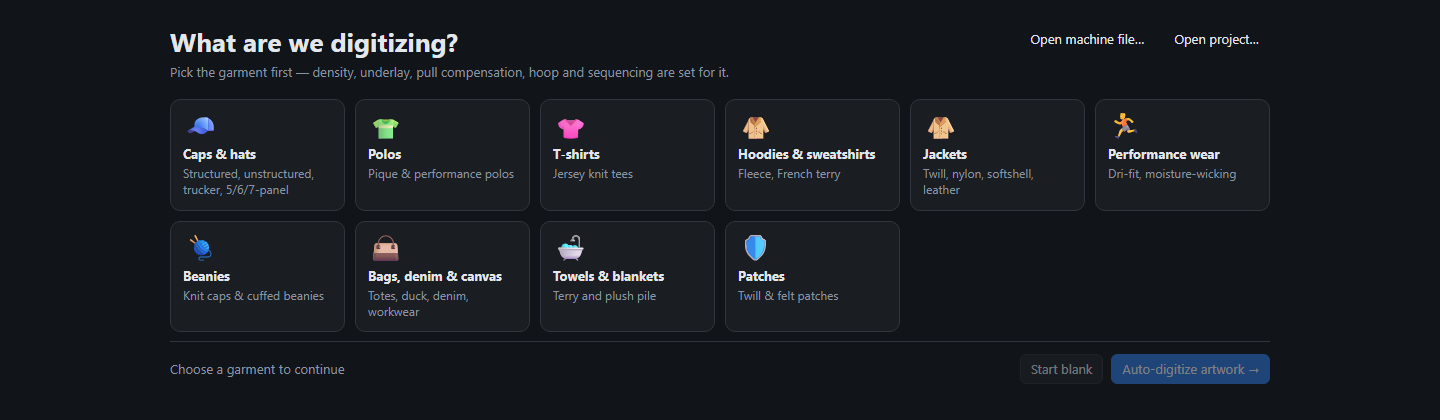
Caps, polos, tees, hoodies, jackets, beanies, bags, towels or patches. Density, underlay, pull compensation, hoop and sequencing are set for that fabric.
Colours are reduced and matched to thread, shapes are traced, and every part becomes the right stitch type: tatami fills, satin columns, running lines.
Watch the stitch-out play back, look at the realistic preview, then export or send the file to a USB stick or your machine's network folder.
One app, every screen
Most embroidery digitizing programs are Windows-only installs tied to one PC. EasyDigitizer runs in the browser, so the same app — your designs, your machine profiles, your stitch settings — works on a Mac in the office, a Windows PC by the machines, an iPad on the couch or your phone at a customer's counter.
Sending a file straight to a USB stick or network folder works in Chrome and Edge on a computer. Everywhere else the file downloads, ready to copy or AirDrop to the machine's computer.
Text and line art become variable-width satin strokes that turn with the letterform, sewn so letters don't need internal trims.
Tatami with staggered rows, underlay matched to the column width, edge tuck-under between colours, and knockdown for towels and fleece.
Profiles for structured, unstructured, low-profile and 5/6/7-panel caps. Centre-out, bottom-up sequencing and centre-seam handling are built in.
Six pre-digitized fonts — block, sans, serif and script — sewn needle for needle at 4–20 mm, with pair kerning.
Design, stitch and realistic views, a stitch-out player, run-time and thread estimates, and a printable production worksheet.
Every auto-digitized object stays editable with the same hand-digitizing tools — or start from a blank hoop.
Install it from your browser like an app. Once it's loaded, it keeps working without an internet connection.
Digitizing happens on your computer. Artwork and designs are never uploaded to a server.
For hand digitizers
Auto-digitize is a head start, not a lock-in. Draw objects from scratch over your artwork, or fine-tune what the auto-digitizer made, with the tools you know from professional digitizing software.
Want something on this list sooner, or something that isn't on it? Tell us — requests from working digitizers set the order.
Writes DST, TAP, PES and EXP, and opens DST, TAP, PES/PEC and EXP files. Save a profile per machine and send finished files to a USB stick or a network / Wi-Fi folder in one click (Chrome or Edge).
Janome (JEF) and Viking/Pfaff (VP3) formats are on the way.
Auto-digitize, edit and preview as much as you like. Pay only when you export or send a design to your machine.
Per design
$16.99
One time. Export that design in every format and re-export it for 30 days.
Start a designMonthly
$49/month
Unlimited designs. 7 days free, then billed monthly. Cancel anytime.
Start free trialYearly Save 35%
$32/month
Unlimited designs. $384 billed today, then once a year. Cancel anytime.
Subscribe yearlyDensity, underlay, small text, caps, or a stitch-out that isn't right? See the digitizing FAQ & troubleshooting guide.
No. It runs in your web browser on Windows, Mac, Chromebook, Linux, iPad, iPhone and Android — Chrome, Edge, Safari or Firefox. You can also add it to your home screen or install it from the address bar so it opens like an app and keeps working offline.
No. All digitizing happens in your browser on your own computer. There's no account and no server that sees your files.
If your machine reads DST, TAP, PES or EXP — which covers Happy, Tajima, Barudan, SWF, Ricoma, Melco, ZSK, Brother, Baby Lock and Bernina — yes. Sending straight to a USB stick or network folder needs Chrome or Edge; otherwise just download the file.
Density, satin spacing, underlay, locks and trims were calibrated against real production files and hand-digitized lettering. Every design can still be edited by hand — and as with any digitizing, sew a test piece before a production run.
Designing, editing and previewing are free. To export or send a design to your machine, either pay $16.99 for that design (every format, re-export it for 30 days) or subscribe for unlimited designs. Monthly is $49/month and starts with 7 days free. Yearly is $384 billed at signup — $32/month, 35% less than monthly. Cancel anytime. Files you've exported are normal embroidery files on your computer and keep working.
Yes — DST, TAP, PES/PEC and EXP files open for viewing, stitch playback and re-export to another format.
Found a bug, a logo that didn't digitize well, or a tool you're missing? Every message is read by the people building EasyDigitizer.
Prefer email? [email protected]. For a stitch-out problem, the troubleshooting guide may have the fix.